Lead with a practical insight.
A small room does not always need smaller furniture. Start with a clear walkway, a lighter palette and one focal point. Which change would make the biggest difference in your space?
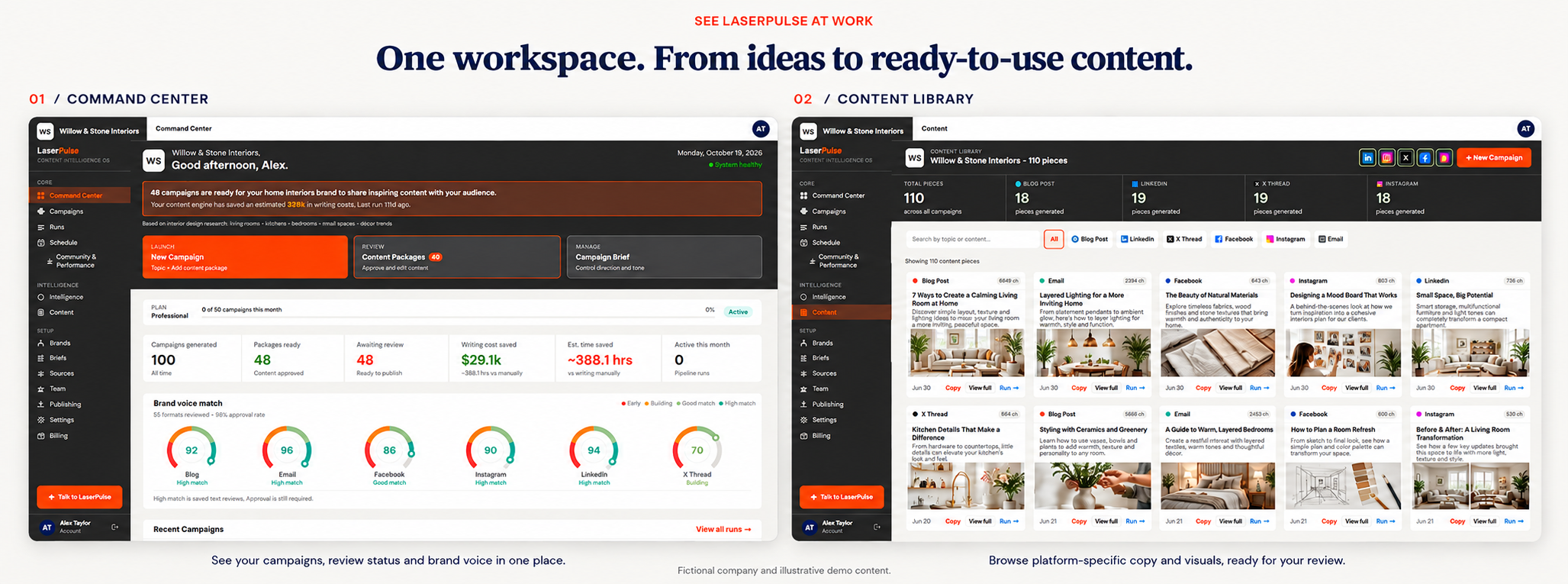
Find ideas, create in your brand voice, review your content,
and schedule your next move in one workflow.
Manage up to 15 brands / businesses.
Available on the Agency plan.Refine future content with your feedback.


An idea for LinkedIn. An image for Instagram. A post for Facebook. A blog. A marketing email. Creating it all, then logging into each social platform separately to post. It’s too much to keep up with.
LaserPulse brings it together. Here’s how.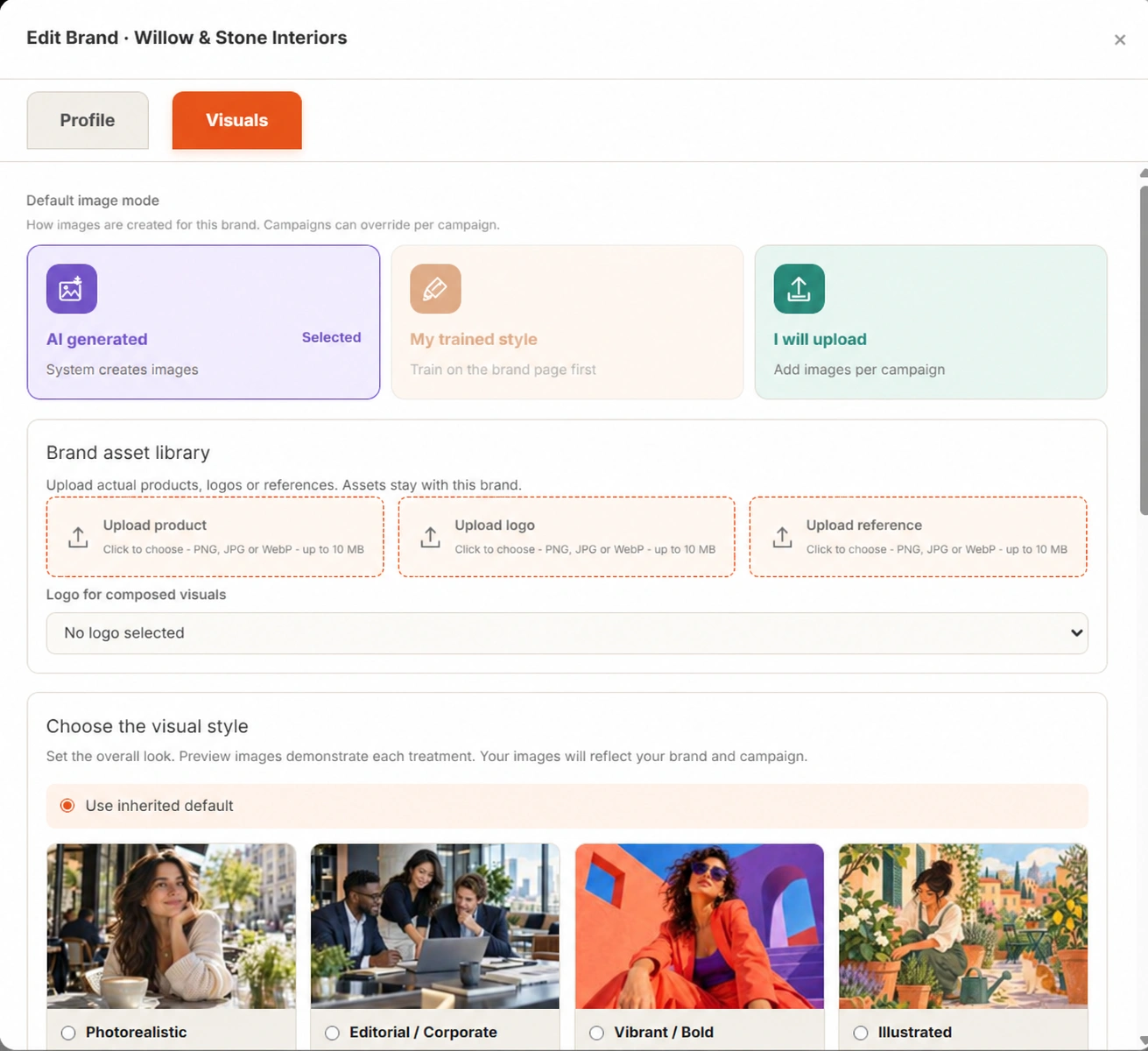
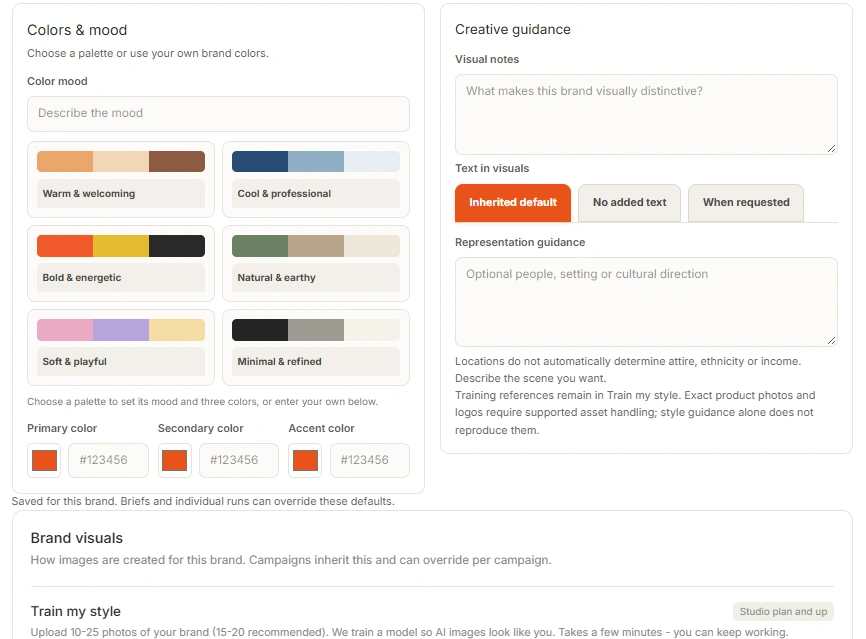
Willow & Stone Interiors
Thoughtful interiors for modern living.
Homeowners and design enthusiasts
Warm · Helpful · Approachable
Natural textures. Warm light. Calm spaces.
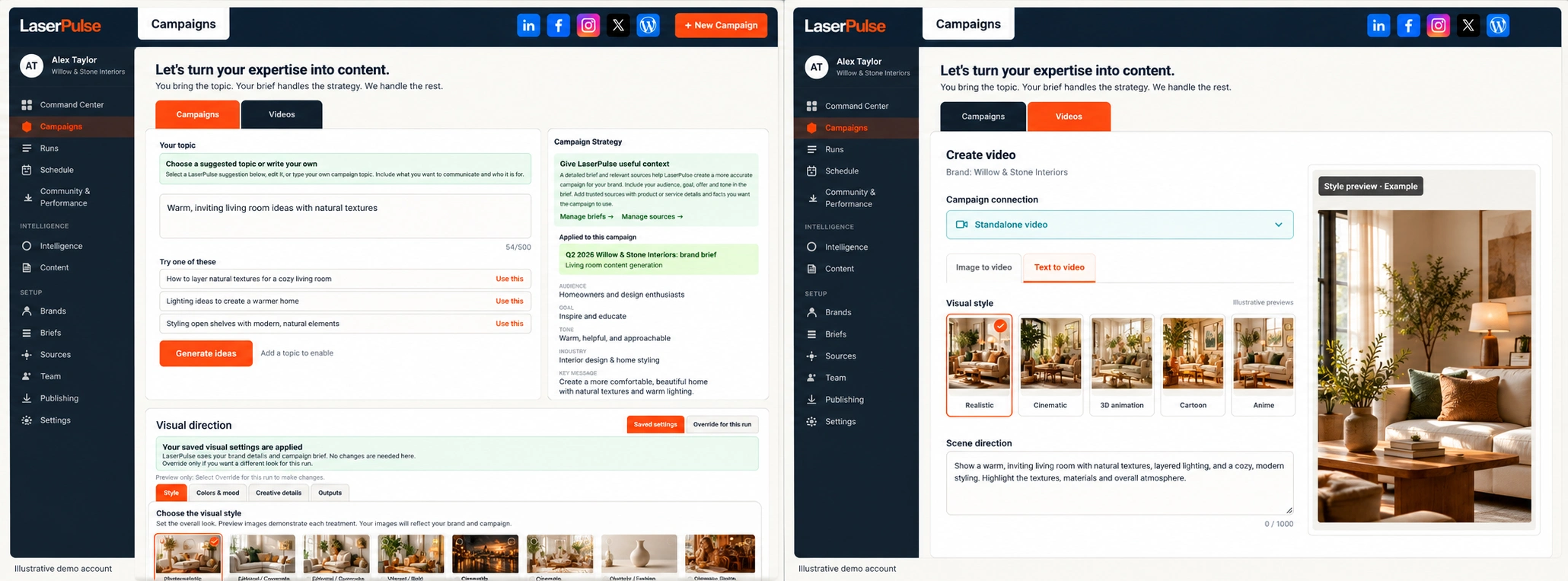
A blank calendar should not mean another hour searching for inspiration. Explore a topic suggestion or bring your own, then give it an audience, a goal and your brand’s point of view.
Example campaign topic: Make a small living room feel more spacious.
One direction becomes a coordinated set of content, shaped for how people use each channel.
A small room does not always need smaller furniture. Start with a clear walkway, a lighter palette and one focal point. Which change would make the biggest difference in your space?
A bright, compact living room with natural textures, a clear walkway and warm lighting. Carry the same creative direction across the campaign.
Explore visual creation ↓Start with the layout. Before buying anything new, identify where furniture interrupts movement and where light can travel farther through the room.
Scene: A compact room opens into a brighter, calmer arrangement.
Direction: Gentle camera movement, natural light and a focus on useful design details.
See video creation ↓Example content treatment. Generated results vary; review and refine before publishing. Blogs, newsletters and video depend on your plan.
Get Started →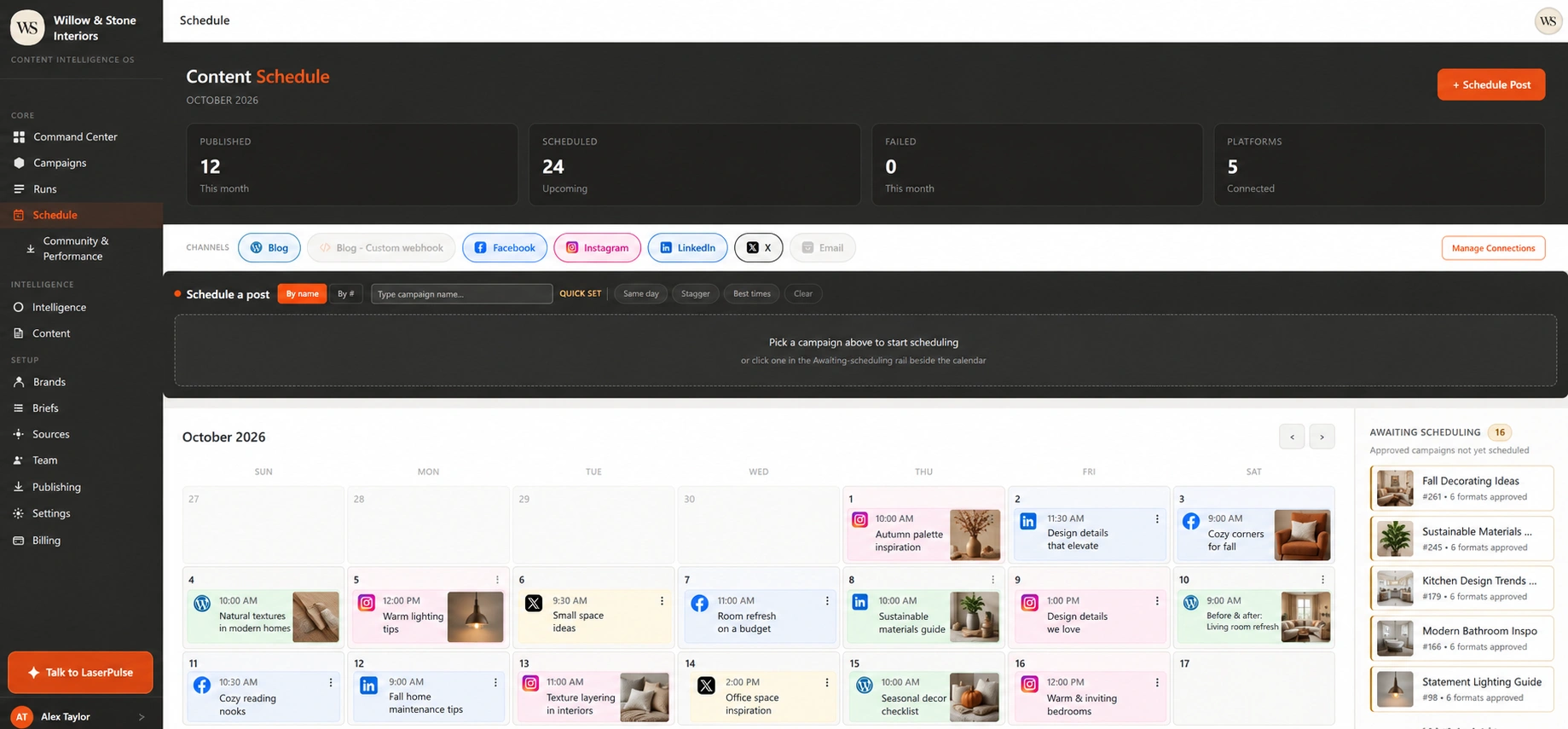
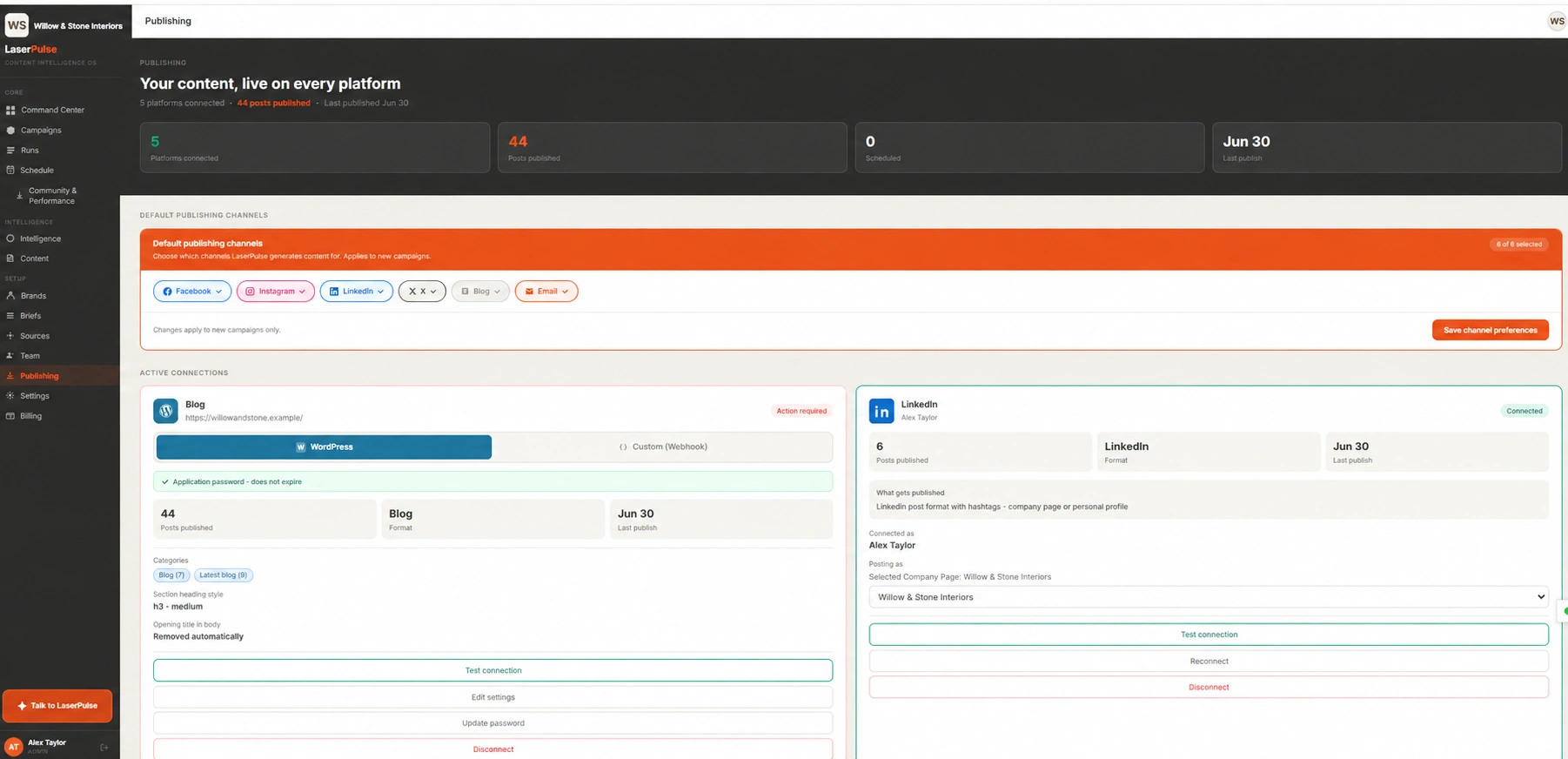
Warm, clear and practical. Help people imagine a more comfortable home.
Use simpler language. Keep the tone welcoming. Be specific about the details.
Start with text or an image, choose a visual style, and review the result.
Get Started →Explore topic suggestions or bring your own idea. Add your audience, goal and tone to turn the topic into a clear direction for your next campaign.
LaserPulse creates channel-specific content from your campaign direction, so you can review and refine related pieces in one workflow rather than start from a blank page each time.
Set your brand context, voice and visual preferences. Review the content and provide feedback to guide future work. You keep the final say over what represents your business.
Campaigns combine social copy and AI images. Eligible plans also include blog articles, newsletter copy and video generation. Check the pricing comparison for the formats, monthly allowances and connections in your plan.
Yes. Review and refine your copy and visuals before scheduling or publishing. Creating content does not mean you have to publish it immediately.
The workflow includes connection controls for LinkedIn, Facebook, Instagram and X, plus WordPress or a custom blog webhook. Direct publishing requires an authorized account and the permissions for that integration. Newsletter copy can be used in your email workflow; creating it does not send an email campaign.
Video supports text-to-video and image-to-video creation on eligible plans. Allowances differ by plan. See the AI Video Credits section on Pricing for package details; rendering time is separate from campaign drafting.
You go to the LaserPulse signup page to create an account. Choose the plan that fits your business, add your brand context and connect the supported accounts you want to use.
Plans from $99/month.
Get Started → Compare plans →